
Based on our overall comparison score, MSI MPG 272QRF X36 rates higher at 66/100 versus 63/100 for Gigabyte M32U — a 3-point lead. MSI MPG 272QRF X36 is the stronger overall pick, though the right choice still depends on which specs matter most to you; the full spec table above breaks down every difference.
MSI MPG 272QRF X36 vs Gigabyte M32U
Updated Nov 2026 · Scored by the Let’s Compare Data Engine · How we score
For most buyers the MSI MPG 272QRF X36 is the better pick — it scores 62/100 to the Gigabyte M32U's 53, leading on Performance and HDR. Choose the Gigabyte M32U instead if panel and connectivity matter most to you, where it comes out ahead.
Verdict
Our overall take, at a glance
Key takeaways
- MSI MPG 272QRF X36 leads Gigabyte M32U overall by 9 points (62 vs 53 out of 100).
- MSI MPG 272QRF X36 stands out on Performance Refresh Rate: 360 Hz (150% more), Panel Type: Rapid IPS, Performance Response Time (GtG): 0.5 ms (50% less).
MSI MPG 272QRF X36 leads overall
MSI MPG 272QRF X36
62
Gigabyte M32U
53
Why it stands out
- Performance Refresh Rate: 360 Hz (150% more)
- Panel Type: Rapid IPS
- Performance Response Time (GtG): 0.5 ms (50% less)
Watch-outs
Compromises to know before you buy
MSI MPG 272QRF X36
- No USB-C — no single-cable laptop connection.
Gigabyte M32U
No notable compromises found.
In-depth analysisAI
AI-generated from the cited sources — may be incomplete or inaccurate; verify important details before deciding · generated Nov 2026.
MSI MPG 272QRF X36
The MSI MPG 272QRF X36 is a 27-inch flat gaming monitor designed primarily for esports enthusiasts and competitive players. It features a QHD (2560 x 1440) Rapid IPS panel capable of delivering an exceptionally high 360Hz refresh rate alongside a 0.5 ms response time. The display also integrates technologies like NVIDIA G-SYNC Pulsar to minimize motion blur and screen tearing during fast-paced gameplay.
Best for Competitive esports gaming demanding extremely high refresh ratesBest for Gamers seeking advanced motion-blur reduction using G-SYNC Pulsar
Pros
- Ultra-fast 360Hz refresh rate and 0.5 ms GtG response time for competitive performance
- NVIDIA G-SYNC Pulsar support ensures excellent motion clarity and tear-free visuals
- Ergonomic stand with height adjustment capabilities
Cons
- Does not include any USB-C connectivity for video input or power delivery
- Lacks built-in speakers, requiring external audio output
- Typical 1000:1 contrast ratio limits deep black levels in dark environments
Gigabyte M32U
The Gigabyte M32U is a 32-inch 4K gaming monitor offering a 144Hz refresh rate aimed at gamers and productivity users seeking high-resolution performance. It features HDMI 2.1 connectivity, a USB Type-C port supporting power delivery, and a built-in KVM switch for controlling multiple PCs.
Best for High-refresh-rate 4K PC and console gamingBest for Dual-system desk setups utilizing the built-in KVM feature
Pros
- Large 32-inch 4K display delivering crisp visuals at 144Hz
- Built-in KVM switch and USB Type-C port for streamlined multi-device management
- Includes HDMI 2.1 ports suitable for high-refresh console and PC gaming
Cons
- HDMI 2.1 implementation has bandwidth limitations
Value for Money
Which is the better deal for the price
Pre-filled with launch prices where known — enter today's price for an up-to-date check. Use the same currency for both.
MSI MPG 272QRF X36
Gigabyte M32U
Physical Comparison
Weight, side by side
Gigabyte M32U
7.25kg
Weight
Review Videos
Hand-picked expert reviews for each product
Detailed Specifications
The full spec sheet, side by side
Frequently Asked Questions
Common questions about MSI MPG 272QRF X36 vs Gigabyte M32U comparison
MSI MPG 272QRF X36 and Gigabyte M32U are compared side by side above across every spec in the monitors category — including performance, features and design — each scored 0–100 so you can see exactly where one leads the other. Our overall scores are 66/100 for MSI MPG 272QRF X36 and 63/100 for Gigabyte M32U.
At launch, MSI MPG 272QRF X36 was the more affordable option ($649) versus Gigabyte M32U ($799). Weigh that against the overall scores (66/100 vs 63/100) and the value-for-money meter above to judge whether the higher-rated model justifies its price for your needs. Current retail prices vary — check the retailer.
If you want the higher-rated monitors option overall, MSI MPG 272QRF X36 (66/100) edges out Gigabyte M32U (63/100). But if Gigabyte M32U is cheaper or stronger on the specific specs you care about, it can still be the better buy — use the spec table and strengths profile above to decide.
Which would you buy?
Cast your voteOther Popular Comparisons
Explore more product comparisons
MSI MPG 272QRF X36
MSI MPG 341CQR X36
VS

Gigabyte AORUS FO27Q5P
Gigabyte M32U
VS
MSI MPG 271QRX QD-OLED
MSI MPG 272QRF X36
VS
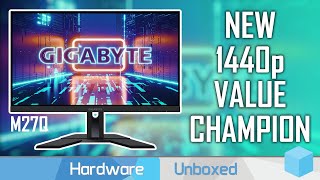
Gigabyte M27Q
Gigabyte M32U
VS
MSI MAG 272QP QD-OLED X50
MSI MPG 272QRF X36
VS

Gigabyte M28U
Gigabyte M32U
VS

MSI MAG 274QRF
MSI MPG 272QRF X36
VS
MSI MAG 275QF
MSI MPG 272QRF X36
VS
LG UltraGear 32GX870B-B
MSI MPG 272QRF X36
VS
Gigabyte M32U
LG UltraGear 32GX870B-B
VS
ASUS ROG Swift OLED PG32UCDP
MSI MPG 272QRF X36
VS
ASUS ROG Swift OLED PG32UCDP
Gigabyte M32U
VS