SSD vs HDD: which storage should you buy?
Why an SSD transforms how a computer feels, and the job a hard drive still does best.
By the Let’s Compare Editorial Team · 1 min read · Updated September 24, 2026
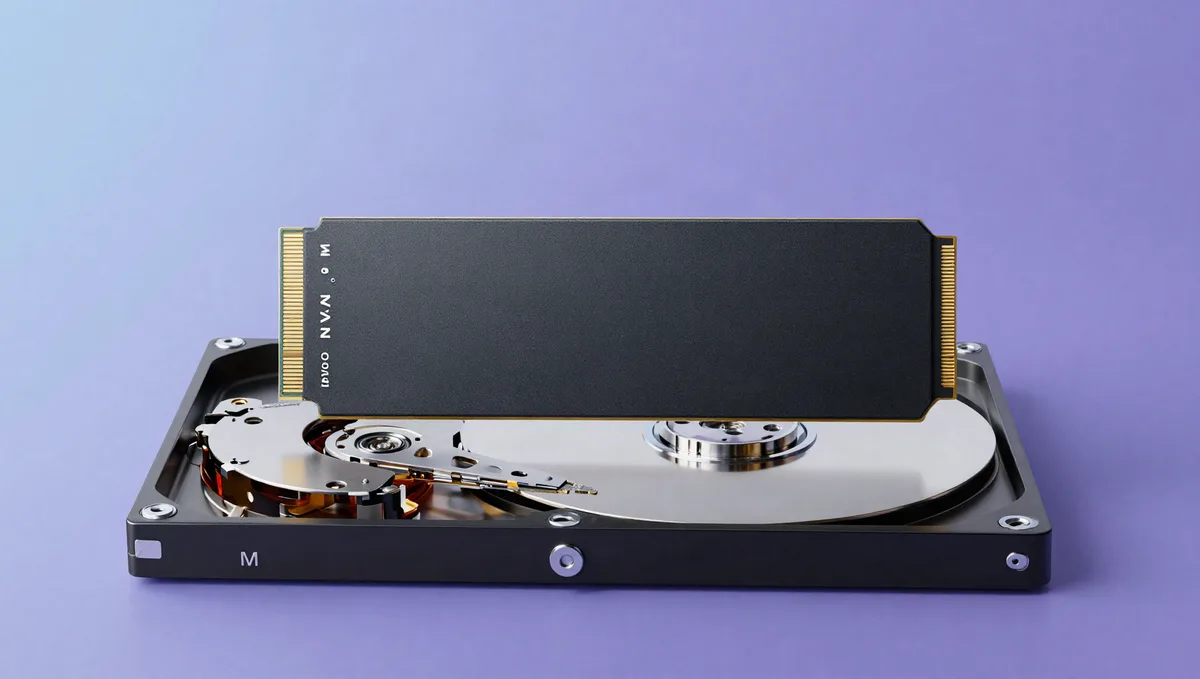
Whether a computer runs on a solid-state drive (SSD) or a hard disk drive (HDD) does more for how fast it feels day to day than any other single factor. For most buyers the choice is easy. There's just one job where the hard drive still makes sense.
SSD vs HDD at a glance
| SSD | HDD | |
|---|---|---|
| Moving parts | None (flash) | Spinning platters |
| Speed | Fast (NVMe fastest) | Slow |
| Cost per GB | Higher | Lowest |
| Best for | System & apps | Cheap bulk storage |
Moving parts vs flash memory
A hard drive stores data on spinning magnetic platters read by a moving head. It's a mechanical device. An SSD uses flash memory chips with no moving parts at all, and everything else follows from that. SSDs are dramatically faster, silent, lighter and more shock-resistant. Hard drives are slower and more fragile, but far cheaper per gigabyte.
You feel the speed gap immediately. Swapping a hard drive for an SSD is the most noticeable upgrade you can give an older computer: boot times, app launches and file copies go from seconds of waiting to near-instant.
SATA vs NVMe
SSDs come in two speeds of their own. Older SATA SSDs use the same interface as hard drives, which caps them at around 550 MB/s. NVMe SSDs talk to the CPU directly over PCI Express and run many times faster, with modern drives reaching several thousand MB/s. For everyday use both feel fast. NVMe pulls ahead when you're moving huge files, editing video or loading games.
Where each belongs
For the drive your system and apps run on, always choose an SSD, and NVMe if the option's there. You'll feel it every day. Hard drives still win at one job: cheap bulk storage. If you're keeping a large photo, video or game library and need many terabytes for the lowest price, a hard drive (or a network drive) is the economical place for files you don't need instantly. Many people run both, with a fast SSD for the system and a big HDD for the archive.
Sources & further reading
The facts and figures in this article come from the references below (some of them not in English), so you can check them yourself.
- Solid-state drive — Wikipedia
- Hard disk drive — Wikipedia