How to choose a monitor (2026)
By the Let’s Compare Editorial Team · 3 min read · 6 things that matter · Updated September 2026
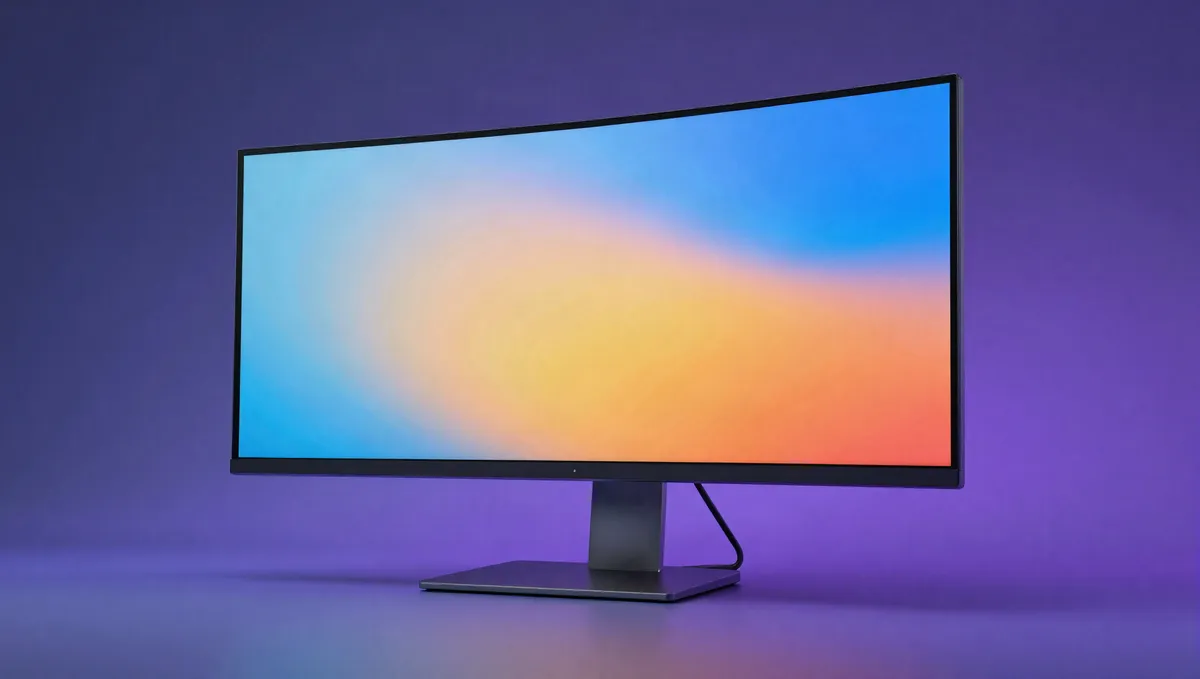
Short answer: Pick the panel for the job: fast and high-refresh for gaming, colour-accurate IPS or OLED for creative work, big and sharp for the office. Size and resolution shape everything else, so settle those first and let refresh rate, HDR and ergonomics break the tie. Don't pay for 4K on a small screen, or for 240Hz you'll never push.
Your next monitor will probably outlast your next computer. People keep them across two or three machines, so it pays to choose carefully. Each section covers one spec: what it means, its weight in our 0–100 score and what's typical across the monitors we track. Bear in mind that our catalogue skews toward enthusiast and creator models, and the numbers reflect that.
What matters most, and how much
| Factor | Weight in our score |
|---|---|
| Refresh rate & response | 23% |
| Resolution & pixel density | 21% |
| Panel type & size | 20% |
| Ports & USB-C | 15% |
| Stand & ergonomics | 11% |
| HDR | 10% |
How much each factor moves our 0–100 monitors score.
Torn between the top two? See our head-to-head: ASUS ROG Swift OLED PG27UCDM vs Samsung Odyssey OLED G8 G81SF →
Panel type & size: where to start
The panel technology sets the monitor's character. IPS is the safe all-rounder, with accurate colour and wide viewing angles. VA has deeper contrast for dark-room movies but slower pixels. OLED gives you perfect blacks and near-instant response for gaming and HDR, at a higher price and with burn-in to manage. Then think about size and distance: the 28-inch class fits most desks well, and past ~27 inches you'll want more resolution to keep text crisp.
Weight in our score: 20%See the best for this →
Resolution & pixel density: sharpness you can see
Resolution only means something in relation to size, because pixel density (PPI) is what decides how sharp text looks. On 27 inches, 1440p is the sweet spot. 4K makes sense at 27–32 inches and for detailed creative work, and 57% of the monitors we track are 4K or higher. For colour work, look beyond resolution to gamut coverage (sRGB for web, DCI-P3 for video, Adobe RGB for print) and check whether the panel is factory-calibrated. Extra pixels also cost GPU power in games, so don't buy 4K for a card that can't drive it.
Weight in our score: 21%See the best for this →
Refresh rate & response: the gaming specs
No single upgrade changes how games feel more than a high refresh rate. Going from 60Hz to 120/144Hz is dramatic, and the median in our catalogue is now 165Hz. Refresh rate only helps if response time keeps up, though: a fast number on a slow panel still smears, so trust measured grey-to-grey response over the marketing figure. Adaptive sync (FreeSync/G-Sync) gets rid of tearing and is effectively standard now, with 87% of the monitors we track supporting it.
Weight in our score: 23%See the best for this →
HDR: mostly a sticker unless the specs back it up
No label on a monitor box gets abused like HDR. 100% of ours claim some form of HDR support, yet "HDR10 compatible" on a 300-nit edge-lit panel looks no better than SDR. Proper HDR needs high sustained brightness and local dimming, either many dimming zones or per-pixel control on OLED. If you care about HDR, look for a meaningful DisplayHDR tier, high nits and lots of dimming zones rather than the logo alone.
Weight in our score: 10%
Ports & USB-C: one cable can do a lot
Check the ports before the pixels. High refresh at high resolution needs the right DisplayPort version or HDMI 2.1, because older ports cap what the panel can deliver. USB-C is especially useful: 64% of ours have it, and one cable can carry video, data and laptop charging (check the power-delivery wattage). A built-in USB hub tidies up a desk. Built-in speakers are usually an afterthought.
Weight in our score: 15%
Stand & ergonomics: the part your neck feels
A great panel on a bad stand will annoy you daily. You want height, tilt and swivel adjustment so the top of the screen sits at eye level, and if the included stand is limited, a VESA mount lets you add an arm. Matte beats glossy under office lighting. Flicker-free backlighting and a low-blue-light mode help on long days. None of it shows up in a spec score, but you live with it every hour.
Weight in our score: 11%
Frequently asked questions
Which monitor panel type is best?
It depends on the job. IPS suits accurate colour and all-round use, VA gives deep contrast in dark rooms, OLED brings perfect blacks and fast gaming, and TN only makes sense for budget high-refresh esports.
Is a high refresh rate monitor worth it?
For gaming, yes. 120/144Hz feels dramatically smoother than 60Hz, as long as the panel's response time keeps up, so go by measured grey-to-grey figures.
What resolution monitor should I get?
At 27 inches, 1440p is the best balance. 4K makes sense at 27–32 inches and for detailed work, provided your GPU can drive it.
Explainers for this guide
- Monitor panel types explained: IPS, VA, TN and OLED
Colour, contrast, speed and viewing angles: the panel sets the character, and response time is easy to misread.
- Refresh rate explained: 60Hz vs 90Hz vs 120Hz vs 144Hz
What refresh rate does, whether your eyes can tell, and how much you need.
Sources & further reading
Every figure above is computed from our own catalogue. The general technical claims are backed by the independent references below (some from non-English outlets), so you can check them yourself.
- Monitore: Das bedeuten die verschiedenen Paneltypen — notebooksbilliger.de (DE)
- Response time (technology) — Wikipedia
- AMD FreeSync — Wikipedia
- Monitor Panel Types Explained: VA, TN, IPS, OLED, QD-OLED — Corsair
Ready to compare?
The figures in this guide are computed live from the 28 monitorsin our catalogue and update as it grows. Analysis by the Let’s Compare Data Engine.